
558h Bet APK latest version and older releases
Check what is known about the latest 558h Bet APK, older builds and files marked 2022. Learn which release details can identify a genuine Android update.
Open free demo
Latest version status
There is no confirmed Android release number for the 558h Bet browser lobby. This includes a latest version, a minimum Android version and a list of supported handsets for an installable package. A visitor can use the current website without choosing between APK builds. The date of an article on the site describes the article. It does not double as a release date for software.
If you searched for “558h Bet APK latest version download”, you probably want to answer one of two questions. You may be trying to obtain the first copy for a new phone, or you may be trying to decide whether an existing installation is out of date. The first question needs a verified distribution location. The second needs both the identity of the installed app and a release record from the same publisher.
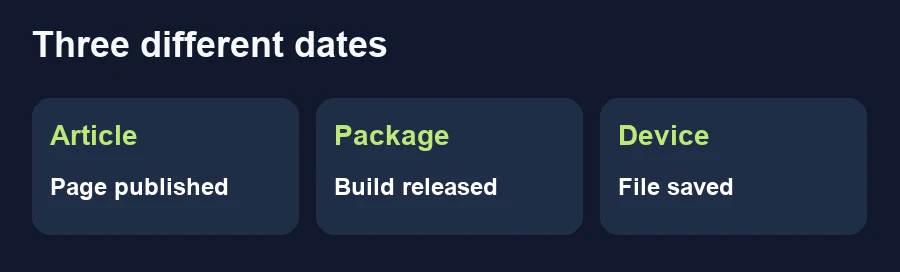
A list of websites arranged by publication date cannot settle either question. A page posted this morning can describe a package that is several years old. Two articles posted on different days can refer to exactly the same build. Look for facts attached to the software itself. When the only date you can find belongs to a headline, record it as a page date and keep the build date unknown.
What belongs in a release record
A useful release entry identifies the product, the publisher, the version shown to the user and the date that version was distributed. A precise entry also gives a package identifier, a build number where available, and a description of what changed. These fields answer different questions. The version label helps a reader recognise a release; the package identifier helps distinguish applications with similar public names.
Suppose a notice says that the lobby artwork has changed on mobile. To establish a website change, compare the pages or their dated update notices. To establish an Android application update, look for a package release carrying that change. A website operator can replace a banner without asking every visitor to install new software. An article saying the banner is new is not evidence that an APK version has increased.
A download size can be a useful consistency check when two records describe the same file. It cannot identify a publisher on its own. Two unrelated files can have the same displayed size once the browser rounds the number. Distribution formats and device-specific packages can also differ. If a publisher offers a checksum for a particular artifact, compare like with like and record exactly which artifact the checksum covers.
Reading an older label such as 2022
A filename that contains 2022 makes a claim about a year. It does not say who chose the filename. The person sharing the file can rename it after receiving it. An old screenshot is similarly limited: it may show that a name or a design existed, but it cannot identify an attachment added to a new message years later. Preserve the distinction when asking someone about an older release.
A useful historical source would tie an identifiable build to an original announcement or listing from that period. Check whether the source names the publisher and whether archived information refers to an Android application or to a mobile website. The difference matters here because web play needs no installation. A dated picture of the home page would be weak evidence for a claim about an Android installer.
If an older phone cannot open a current page, finding a file labelled 2022 is not the next logical step. Start with the actual difficulty. Does the browser show a network error? Is a game result missing? Does an external destination open while the expected page stays behind in the browser history? Those observations describe web navigation. They give no particular reason to seek an old package.
Version name, build number and package identity
Android apps can present a human-readable version name and use a separate version code internally. A name such as “Spring Edition” could be meaningful to a publisher while telling a device little about the order of updates. A numerical build value can be meaningful within one application's release history without being comparable to the number printed by another developer. Always keep the application identity next to the version.
Imagine seeing one listing called Casino Mobile with a larger number and another called Casino Lobby with a smaller number. Unless they describe the same package and publisher, saying the first is newer than the second is like comparing chapter numbers from different books. A larger printed number does not make one application a successor to the other. A logo shared between the two listings is also insufficient for that comparison.
When checking installed software, copy the version information as it is presented and note the device on which you found it. Preserve suffixes and punctuation. Two entries that look identical after shortening them may describe different releases. If the device does not expose a field, leave that field blank. Filling it in from a search suggestion creates a neat record that is less useful than an honest incomplete one.
A change in the browser lobby
Changes to this website are delivered when a browser fetches its pages and resources. The page can reference a new artwork filename even though the domain stays the same. Your bookmark still opens the site, while the file that supplies the picture has changed. The small string attached to an image or script filename is used for that resource and is not an Android release number.
This explains a familiar observation on two phones. One phone may still show a previously loaded tab while the other has just requested the current page. Compare them after opening the same address in fresh tabs. Check that both show the same table or article. A phone on the second carousel slide and another on the first are showing different scenes by design, even if the software served to both is identical.
For a useful change report, describe a visible action before and after the change. “Game details now opens a panel under the cover” is a testable observation. “My app updated” assumes a delivery mechanism you may never have used. A precise description helps identify whether a developer should inspect a web link, a browser layout or an application package, without collecting personal account details from the visitor.
Compatibility questions before installation
The most useful compatibility statement comes from the publisher of the specific release. It should say which Android versions and, where relevant, which device requirements apply to that release. A device can open the English web lobby without satisfying the requirements of some unrelated native app. Conversely, the fact that another app installs on a handset does not tell you whether its browser handles a particular website correctly.
When a friend says it works on their phone, ask what they actually opened. They might have tapped a browser bookmark, a link in a message or an installed application. Ask for the visible page name and the action that succeeded, rather than asking them to share files. A report that a roulette result appeared in a browser is useful evidence about web play. It gives little information about package compatibility.
For the web version, a practical compatibility check takes one short visit. Read the heading on a narrow screen, open a details panel, enlarge the text and try a local practice round. Check whether the controls can be reached by scrolling and whether the result appears in text. That gives you a concrete answer about the phone in your hand without requiring an unverified version table for every handset.
If an update prompt appears
Read the source of the message before acting on it. A website banner, a browser security notice and an Android system dialog can all mention updates. They belong to different systems. Close an ordinary page banner using the page or browser controls. For a system update question, consult the device's own settings. A web banner claiming urgency cannot establish that your phone has detected a missing casino application.
A prompt that offers a bonus for installing a “mandatory update” mixes a launch claim with an offer claim. Each needs independent support. Is there a documented package signed by the expected publisher? Are there published terms for a real benefit? The welcome panel here is a preview. It grants no entitlement on another website and does not give an unknown attachment a trusted identity.
If the prompt goes away and the local lobby still works in a fresh tab, you have answered the immediate question about browser access. Save the clean address rather than a screenshot of the prompt. If you wish to report it, note the host where it appeared and the exact text of the claim. Keep verification codes, email addresses and unrelated browser tabs out of any image you share.
How to compare two records
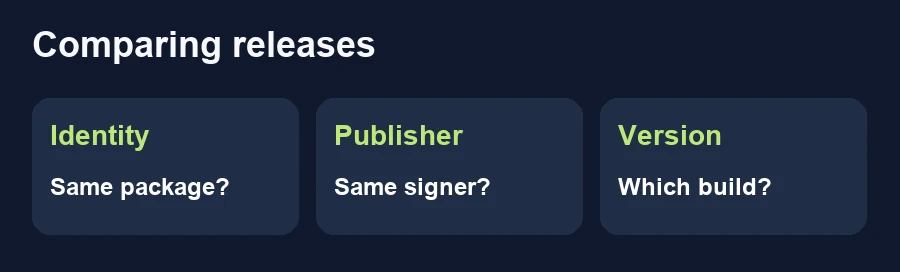
Write the two entries side by side. Start with the publisher and package identifier. If either is missing from one record, stop short of calling the entries consecutive builds. Next compare the displayed version, build number and publication date. Only then compare screenshots, file sizes and descriptions of changed features. This order prevents a strong visual resemblance from outweighing a clear mismatch in application identity.
One entry might be a new article describing an old build, while another could be an older publisher page updated with fresh release notes. Look for explicit wording that connects each date to a release. The date in a website footer often refers to copyright or general maintenance. It would be misleading to cite that date as the distribution date of every file mentioned anywhere on the site.
If you cannot establish which record came first, the useful conclusion is that the order is unknown. You can still retain the sources for later comparison. There is no need to open either file to fill a gap in the evidence. For a visitor whose goal is simply a round of blackjack today, the directly accessible browser table is a separate, immediately testable option.
When this page should change
A first verified package would make several questions answerable at once. We could point to its distribution page, name the publisher, show the public version and distinguish the first release from later updates. A second release could then be compared with the first by listing the changes that matter to a player. None of these fields should be inferred from the date on which this article was published.
Until then, treat “latest”, “old version” and “2022” as descriptions of what someone is searching for. They are useful search terms but cannot stand in for a release ledger. When you need a saved route back to the mobile experience, use a browser bookmark. When you need facts about a file already in your possession, start with its origin and the publisher record rather than another copy from the same forwarding chain.
If you keep a personal note, include the date on which you checked the source and the date claimed for the release in separate fields. A new visit can establish that a listing was visible today, even when its original publication date remains uncertain. That small distinction prevents an observation made now from quietly becoming a claim about what happened several years ago.