
558h Bet login and guest sessions
See how a 558h Bet guest session works, what happens to a practice hand after a reload, and which account questions belong to an external destination.
Open free demo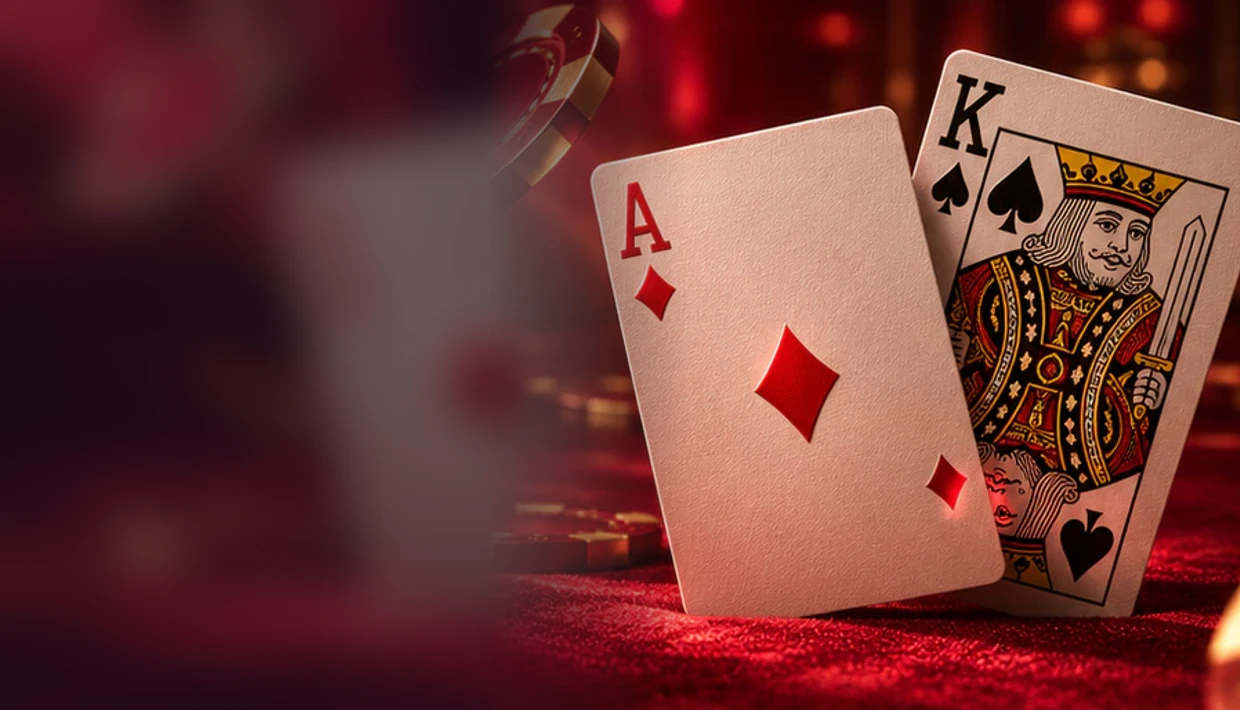
Do I need a login?
There is no 558h Bet login required for the local practice tables on this website. Open a table and its controls belong to the current page in your browser. You do not have a player number, a cash account or a password to remember for these rounds. The simplest way to tell you have reached a local activity is to look for its game heading and the corresponding round button.
This matters when a search result combines the words app, APK and login. Each describes a different thing. An app is a piece of software, an APK is a way of distributing software to Android, and a login is a method of entering an account. A visitor can open this website without using any of the three. If you are just trying to play a practice hand, begin at the blackjack table.
When you select a commercial button, the project opens a different destination in the same tab through its local go path. The previous page stays part of your browsing history in ordinary use. The external page has its own interface. It does not inherit a local player account because this lobby creates none. Use the address field and the visible controls together when deciding which service you are looking at.
What the browser keeps during a round
A blackjack session illustrates the idea of temporary state. When you deal, the page prepares a deck, assigns cards to the player and dealer and shows the visible information. Hit draws from the remaining deck; Stand finishes the player's decision. For the hand to make sense, the page must keep the deck and cards while you decide. Those values live in the running page.
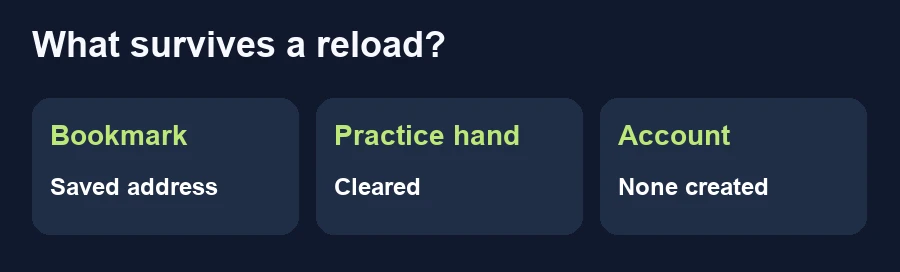
A fresh reload starts the document again. The previous deck is not looked up in a player profile. That is why saving the address is a good way to find blackjack tomorrow but a poor way to preserve the exact moment before a hit. If you want a personal note about how a hand was scored, write down the cards and the text result while they are visible.
The other practice games have shorter rounds. A reel result fits in one line of three symbols. The roulette result consists of one pocket and its colour. Closing the page after seeing either result leaves no outstanding payment and nothing to claim at a cashier. A screenshot can record what was displayed, but it does not turn that record into transferable credit or a result that another visitor can redeem.
A saved link compared with a saved account
Save the home page to return to the general lobby, or save an address ending in a game fragment to return to one table. The fragment follows the number sign in the URL. It tells the page which part the visitor intends to see. It carries no password, player balance, sequence of spins or list of cards. Two people can open the same fragment and play entirely separate rounds.
Imagine sending a link after you have dealt a king and an ace. The second person can open the blackjack table and deal, but they are not joining the hand that produced your cards. They start their own hand in their own browser. This is also why a saved page title in a message preview might say “casino” without displaying any information about the particular round you intended to describe.
If the browser offers to synchronise bookmarks, that feature belongs to the browser account. It can make a saved address available on another device. That is different from synchronising casino play. You can use a synced bookmark to find the site on a second handset and still begin a fresh round. Consult the browser's own account controls when deciding whether addresses should follow you across devices.
Why a sign-in prompt might appear
A prompt could come from a different website, the browser's password manager, an operating system service or an application already installed on the phone. Those are separate sources. The local page does not ask for a password to show the FAQ or start a practice game. Read the full address and the prompt's own heading before entering anything that identifies an account.
A browser may suggest a saved credential because the user previously stored one for a particular domain. Seeing a suggestion is not proof that you must use it. If a friend's shared device offers an unfamiliar name, leave the field alone. You can return to the local lobby using its known address. A practice visitor does not have to create an identity merely to clear a password suggestion.
A promotional landing page may present an entirely different set of controls. The words Login and Register on that destination belong to the service displaying them. The owner of this local session cannot recover another service's password or promise how that service manages accounts. If your aim was to compare the rules of the local game, go back to the table information instead of proceeding through an unfamiliar registration flow.
Recovering the right thing
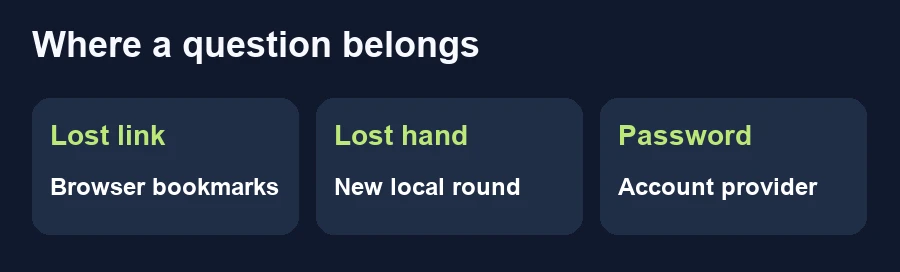
Before looking for a reset button, decide what is missing. A missing bookmark is an address problem. An interrupted hand is a session problem. A forgotten password for a separate service is an account problem. Treating all three as a login failure can lead someone to enter personal information into the wrong place. The remedy for the first two does not involve a password reset.
For a lost bookmark, type the domain directly, check it, navigate to the activity you want and save the new address. For an interrupted hand, return to blackjack and deal another one. The local lobby cannot reconstruct a hand after the document is lost. If necessary, read the example hands to understand the scoring situation that prompted the question rather than trying to recreate an identical shuffle.
For a genuine external account, open the verified account provider independently and use its own recovery process. Do not share a reset link or a one-time code with someone who says they can restore free spins from a local game. Nobody needs such a code to explain how an ace is valued. Separating the game question from the account question limits the information you have to disclose.
Shared devices and different tabs
Two people can take turns at a practice table on the same phone. Finishing the visible action and reloading creates a clear starting point for the next person. The browser may keep a record of the visited address according to its own settings. That history is separate from a local game record. A history entry shows that a page was opened, not which cards were dealt.
Different tabs can also cause confusion. One may still display an unfinished blackjack hand while another shows the FAQ. If you return to the first tab and the controls still respond, you may be looking at the same running document. If the browser discarded it to free memory, it may load again. The site offers no guarantee that a suspended tab will preserve a practice hand indefinitely.
On a shared device, take care when capturing screenshots. The game result itself may contain only symbols, but a wider screenshot can include the names of other tabs, notifications or an account suggestion. Crop the image to the table before sharing an example. For most scoring questions a plain text description of the cards and result is clearer than a full-screen image of the phone.
Reading a result without a profile
The result line is the authoritative summary of a local round. On the reel table it names each symbol and classifies a pair, three of a kind or no match. On roulette it states where the ball landed. On blackjack it reports the player and dealer information appropriate to the stage of the hand. You can understand each result from the table itself.
Suppose a reel shows a star, a club and another star. The two stars form a pair even though the club sits between them. The result will describe the relationship in words. There is no further action to add points to an account. If your next task is to explain the result to someone else, copy the three symbol names and the classification before starting another round.
For a blackjack question, include the order of the cards if an ace changed value after a hit. The same final total can be reached through several different hands. Knowing that the player first held an ace and a six and then drew a ten explains why a total of seventeen can remain seventeen. That account of the hand is more useful than a nickname or an approximate time of play.
Leaving the external destination
A commercial click opens the project destination in the current tab. The local go page handles the transition. An intermediate screen or a change in the address bar is part of navigation. It does not mean an app has been installed, an account has been created or a bonus has been awarded. Those actions would require separate evidence from the service involved.
If you want the conditions behind the illustrated welcome figures, use Offer details in the local banner. It explains the preview and can be closed to return to the same part of the page. If you want information about a particular studio slot, use Game details under its cover. Those two choices let you read about the interface without starting an external account journey.
Should you return from another site and find a different slide visible, use the carousel dots to choose the welcome panel again. The selected slide is a display choice in the page. It is not an account preference and does not affect eligibility for a reward. The direct address to a practice table remains the most precise route when you already know which local activity you want.
A short handover between players
Here is a practical way to hand a phone to another adult. Finish or leave the current round, return to the lobby heading and point out the link to the local practice table. Let the next person start a new round so the result belongs to the interaction they actually made. Nobody needs a username, a saved PIN or an installer to do this.
If they ask where previous winnings are stored, show the Payments and play section of the home page. It identifies the limits of the free experience. If they ask where the password field is, explain which destination they are on and what they are trying to accomplish. A clear answer to those two questions usually resolves the apparent login problem before any credentials are entered.
One final distinction matters when returning the device. Closing the browser tab ends your access to that visible document, but an external account opened in another tab may have its own sign-out control. If you actually signed into a different service, follow its own sign-out process. If you only played the local games, returning to the homepage or closing the tab is enough to end that practice visit.